Fold First

App redesign for iPhone Duo

Is your app ready for iPhone Duo?

Unfold the Duo and most apps either stay phone-sized or stretch a phone layout across the big screen. We redesign iOS apps for Apple's foldable and ship in weeks.

Dredfit redesigned for iPhone Duo, folded and unfolded. Unofficial concept. 1 min.

What your Duo users see

It depends on when your app was last built, and whether anyone designed for the inner screen.

  1. Not updated for iOS 27

    Phone-sized in the middle of the screen, with black space all around.

  2. Built for iOS 27

    Bigger, but still with blank space around the app.

  3. Rebuilt for iOS 27.1

    Edge to edge. Apps on Apple's standard layouts adapt well. A custom phone layout just stretches.

  4. Designed for the Duo

    Layouts that use the room: two panes where the phone had one screen and a pop-up.

Case study · Unofficial concept

Dredfit, before and after

Dredfit is an open-source strength-training app for iPhone. We redesigned it for the Duo's inner screen. This concept is ours alone; it isn't affiliated with Dredfit or its developer.
890 × 626 ptInner screen, unfolded
4Core screens redesigned
0New dependencies
UnchangedFolded, outer-screen layout

Today

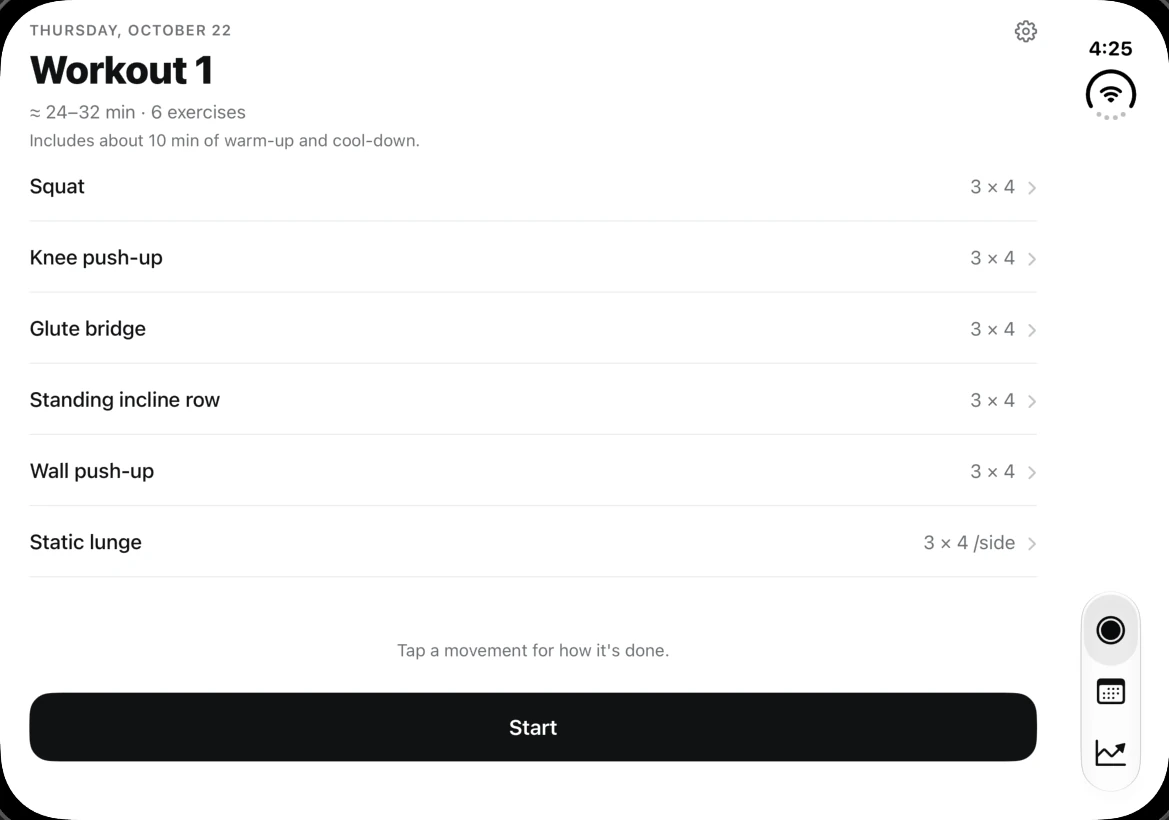
Before · rebuilt for iOS 27.1 Dredfit's Today screen unfolded before the redesign: six exercise rows stretched across the full width, with a full-width Start button.
Six rows stretched across the whole screen. How each movement is done stays hidden behind a tap.
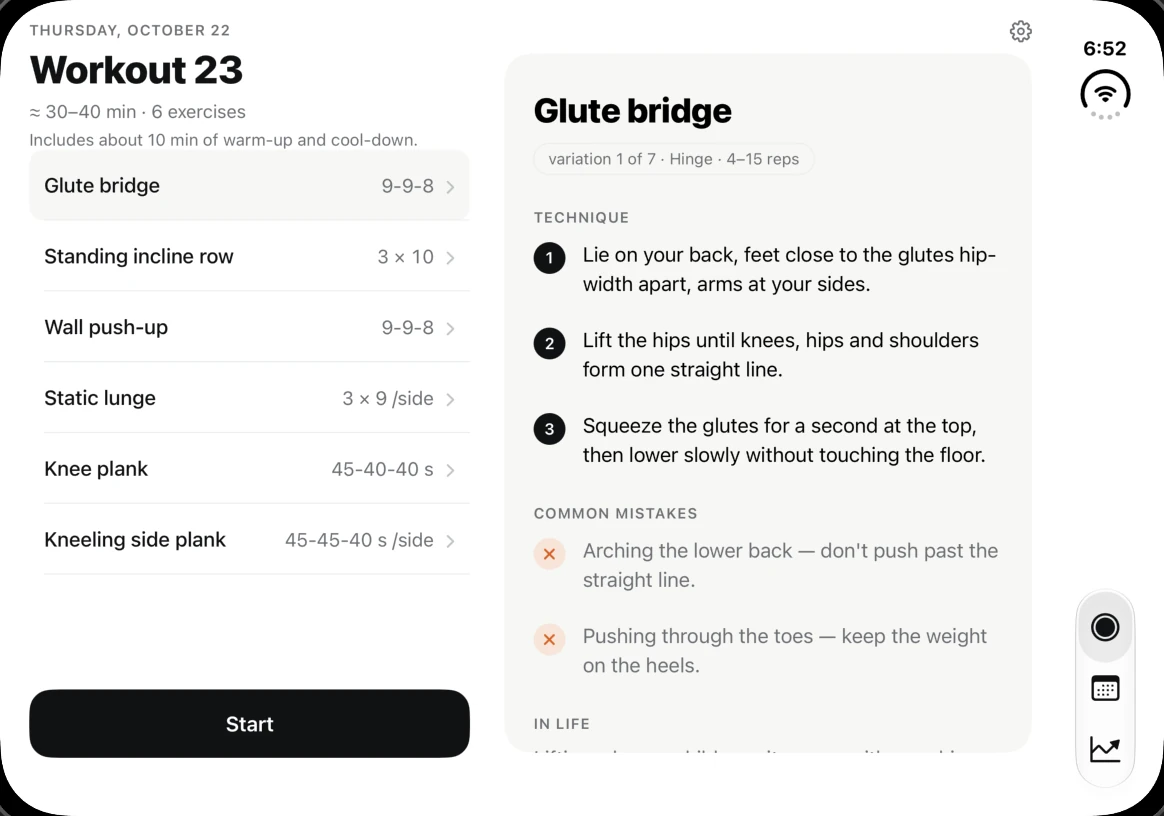
After · Fold First Dredfit's Today screen after the redesign: the plan on the left with Glute bridge selected, and its technique steps and common mistakes in a panel on the right.
The plan on the left, how each movement is done on the right. Tap a row and the panel follows it.

During a set

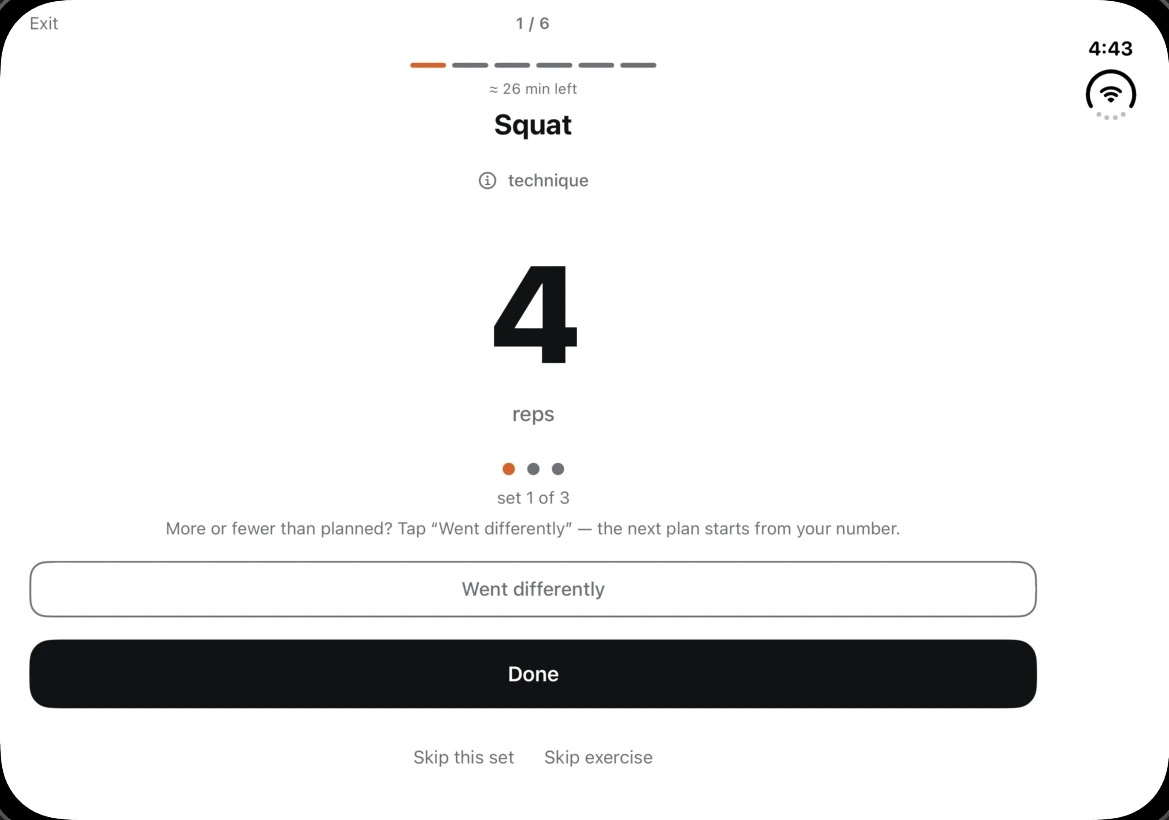
Before · rebuilt for iOS 27.1 Dredfit's workout screen before the redesign: a single centred column with the rep count, and Went differently and Done buttons stretched edge to edge.
One narrow column floating in white space, with the buttons stretched edge to edge.
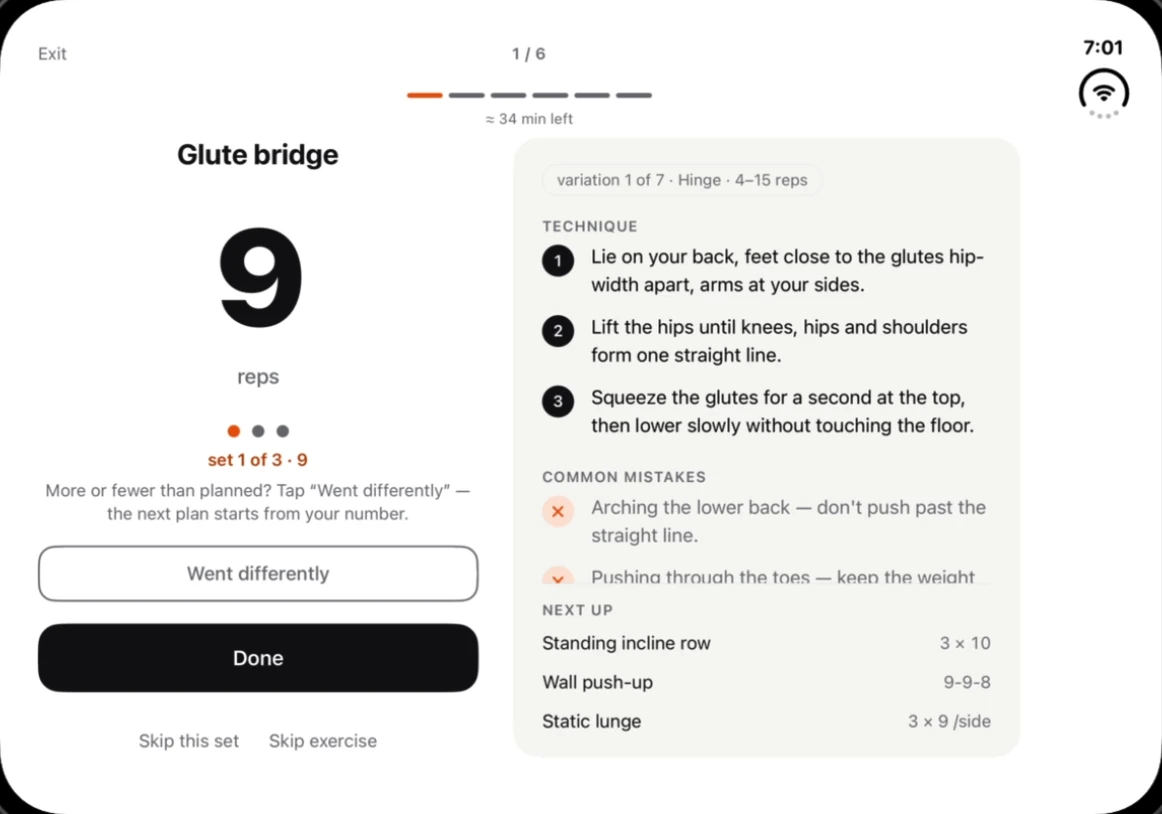
After · Fold First Dredfit's workout screen after the redesign: the rep count and buttons on the left, and the technique steps with the next three exercises on the right.
The count stays where your thumb is. How it's done and what's next sit beside it, so reading never covers the set.

Calendar

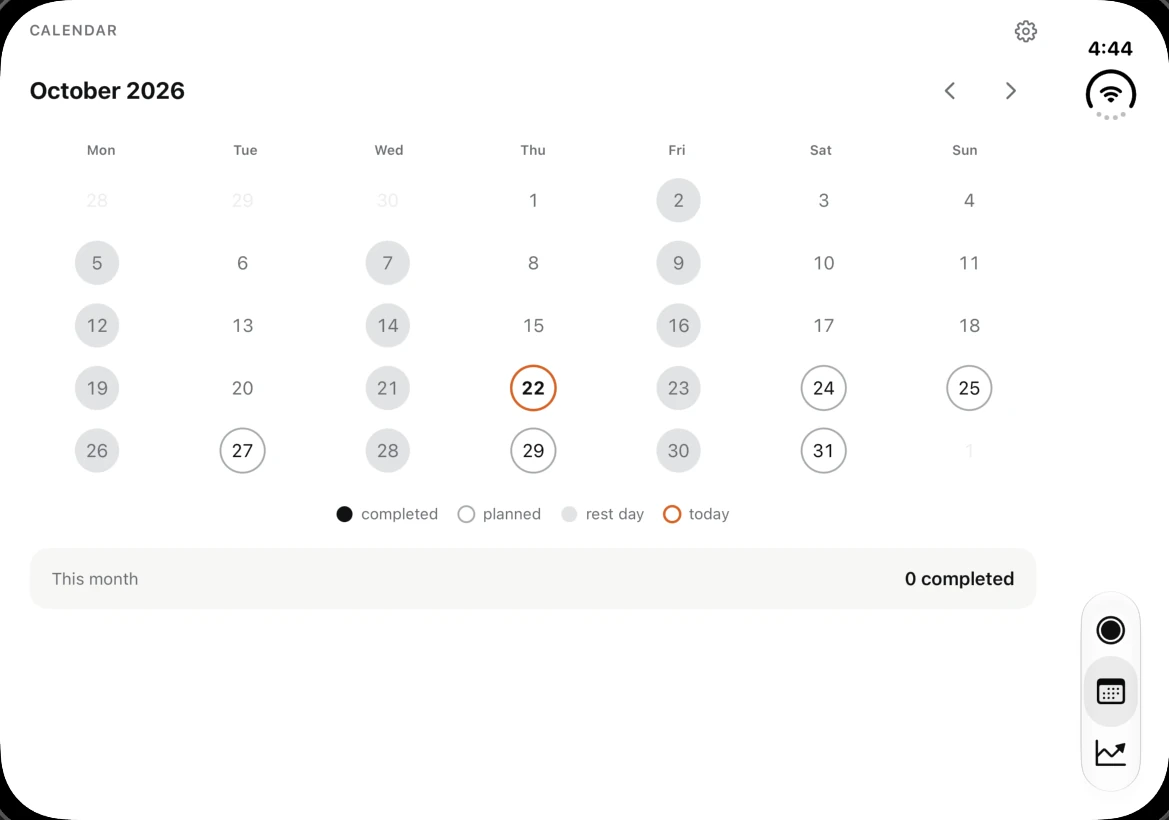
Before · rebuilt for iOS 27.1 Dredfit's calendar before the redesign: a month grid spread thinly across the full width.
A phone calendar spread thin. Every finished day opens a pop-up over the month.
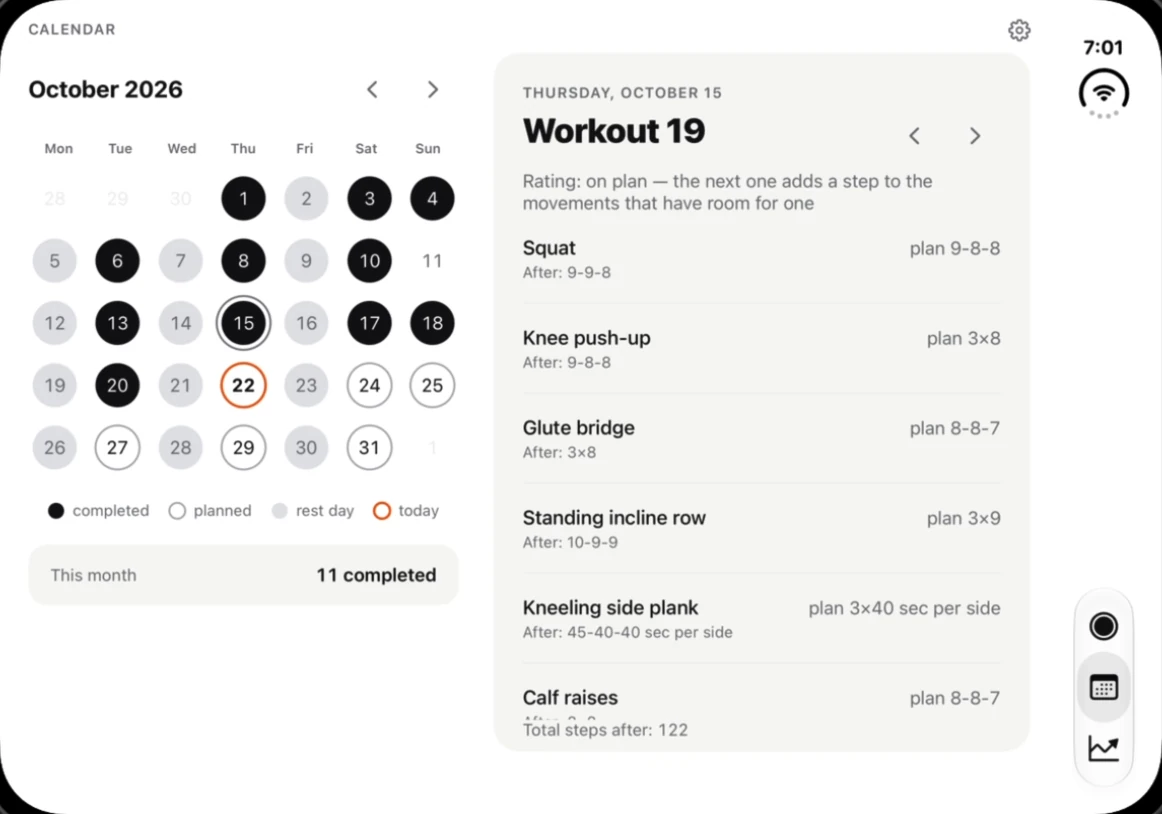
After · Fold First Dredfit's calendar after the redesign: the month on the left with October 15 selected, and that day's Workout 19 results in a panel on the right.
The month beside the workout you tap. With nothing tapped, the panel shows the next workout.

Progress

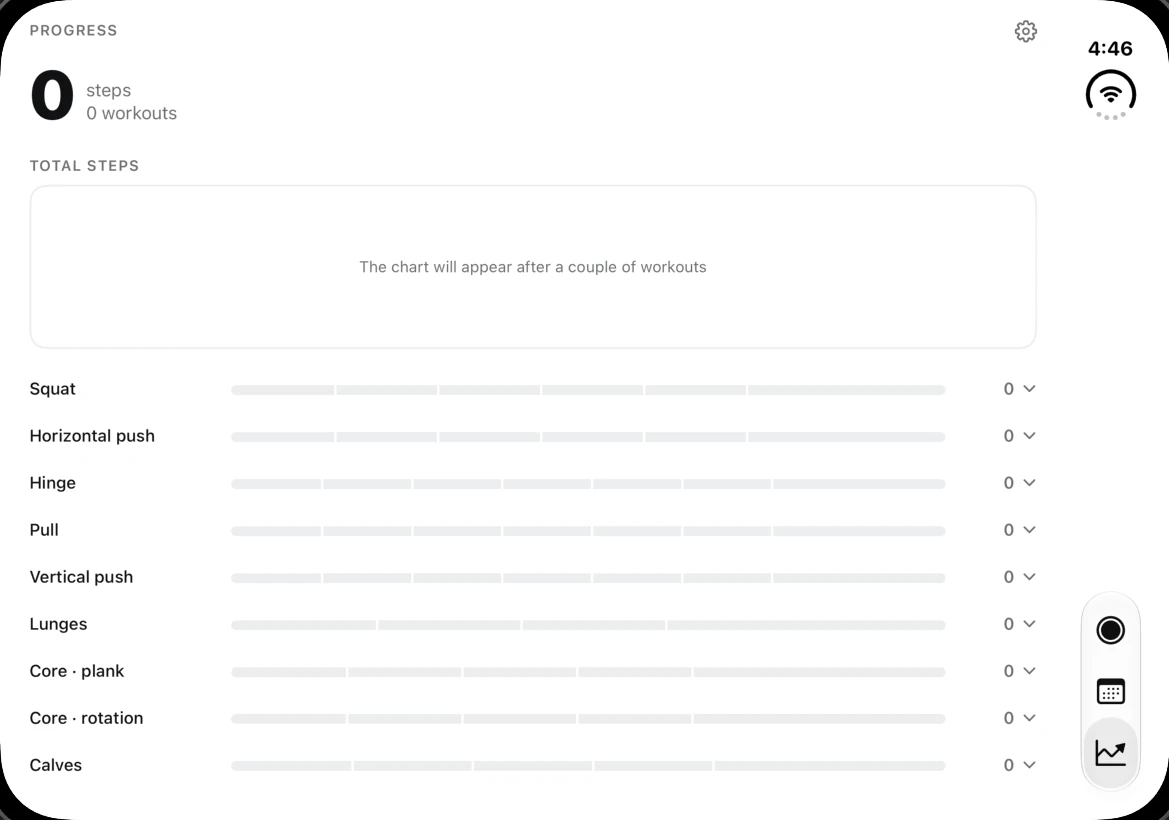
Before · rebuilt for iOS 27.1 Dredfit's progress screen before the redesign: a short chart box and nine progress bars stretched across the full width.
A short chart box and nine progress bars stretched across the full width.
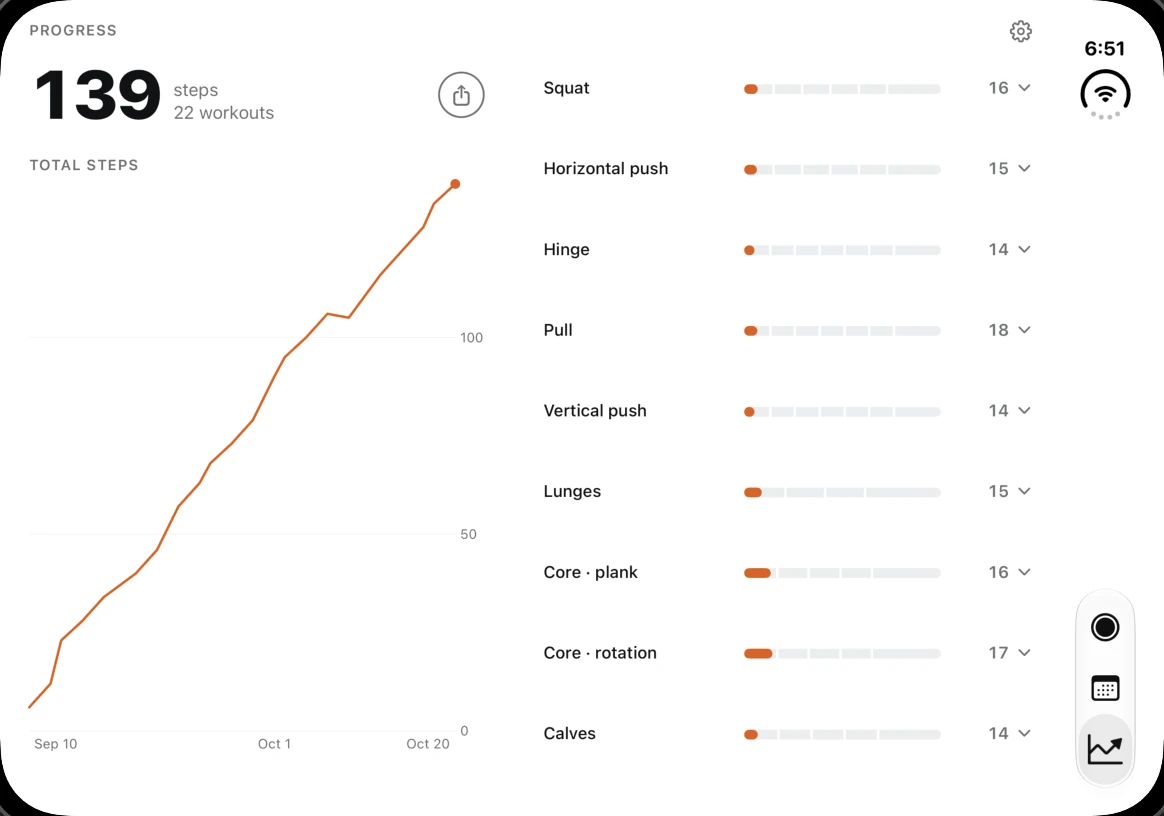
After · Fold First Dredfit's progress screen after the redesign: a tall rising chart of 139 total steps on the left, and nine movements spread down the right.
The chart fills its column, and tapping a movement redraws it right beside the list.
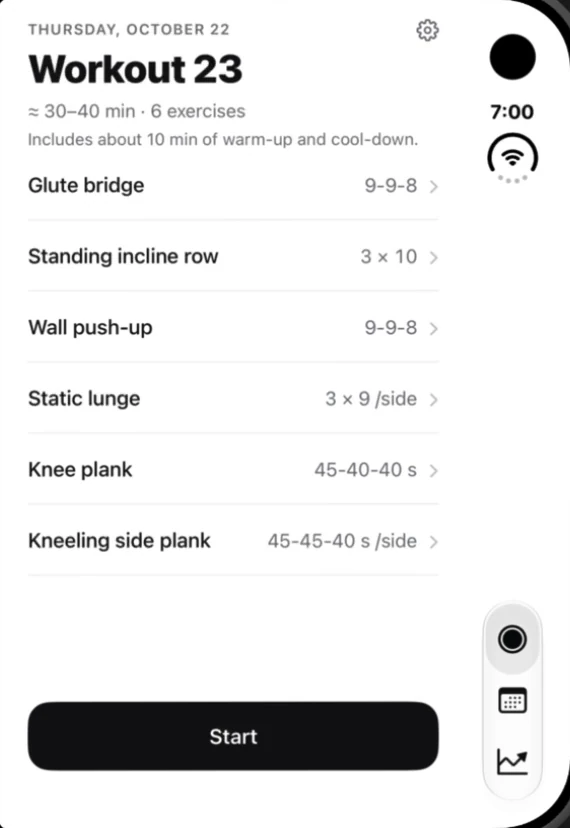
Dredfit's Today screen on the folded iPhone Duo's outer screen, in its original phone layout.

Folded, nothing changes

The outer screen keeps the layout your users already know. Every change switches on only when the app has the wide inner screen, and the app keeps its place when the phone folds or unfolds mid-workout.

Screens show sample training data.

Will a rebuild fix it?

Sometimes, yes. Apps built on Apple's standard layouts can adapt with little more than a rebuild. If yours is one of them, we'll tell you so, free. Custom-built apps need real redesign work, and that's what we do.

Why now

  • Duo demand is strong: new orders are already shipping in late January 2027.
  • Apps rebuilt for the Duo get an "optimized for iPhone Duo" badge on their App Store page. Apps without it look behind.
  • Starting April 2027, every App Store submission needs iPhone Duo screenshots.

How it works

  1. Free Duo checkWe record your app on iPhone Duo and show you a concept of the fix.
  2. DesignWe turn the concept into full Duo screens for your sign-off.
  3. Build and testWe work in your code through your normal review process, and your team tests every build in TestFlight.
  4. ShipA phased release, plus the new Duo screenshots for your App Store page.

Questions

Is our code safe with you?

Every change is reviewed by a senior iOS engineer and goes through your team's normal code review. Nothing ships until you sign off in TestFlight.

What does it cost?

A fixed price, quoted after the free check.

How long does it take?

Most redesigns ship in a few weeks.

What about after launch?

Care plans keep your app right on every new iPhone and iOS release.

See your app on the Duo, free.

Email your App Store link. We'll record your app on iPhone Duo and show you one concept for the fix. If a simple rebuild would do it, we'll tell you that instead.

The Fold First teamMiami, Florida
Open in Mail
Include your App Store link, and the screen your users open most.